Business Ink & Toner Costs

How Much Are You Really Spending on Ink & Toner? The printer might be paid for. The cartridges definitely aren’t. Business ink and toner costs are one of those expenses that can quietly get out of hand. A cartridge gets ordered, then another one, then another department orders something different. Because it normally sits under stationery or office supplies, nobody ever really adds it all together. Ask Us to Review Your Print Costs £30 a month is £360 a year If you’re spending more than this on ink or toner, send us the printer models. We’ll tell you whether it’s worth looking at properly. The short version: the fact you’ve already bought the printer doesn’t mean the decision is finished. If the machine is expensive to run, you keep paying for that original decision every time somebody orders another cartridge. The cost nobody sees properly Ink and Toner Can Get Lost in Stationery Costs Ask a business what it paid for a printer and somebody can normally tell you. Ask what that same printer has cost in ink or toner over the last year and it is often a different story. One Cartridge Doesn’t Look That Expensive Someone spends £60 or £80 and it doesn’t look dramatic. But do it repeatedly, across several colours and several printers, and suddenly it is a proper annual cost. Different Departments Buy Different Things Accounts has one printer, reception has another, sales bought one because they needed colour. Before long you’ve got several makes, several cartridges and nobody looking at the total. Nobody Thinks of It as a Print Cost If every cartridge is coded to stationery, the business never really sees what each printer costs to run. That’s normally where the surprise starts. What cartridges actually cost You Don’t Need to Print Much Before It Starts Adding Up There isn’t one sensible “average cartridge price” because a small ink cartridge and a high-capacity business toner are completely different things. But current genuine toner prices show how quickly the numbers can move. HP 207A Colour Set £357.46 At the manufacturer prices checked on 25 September 2026, one black and three colour HP 207A cartridges come to about £357.46 including VAT. See HP pricing ↗ Canon 067 Colour Set £336.46 At the Canon UK prices checked on 25 September 2026, black, cyan, magenta and yellow come to about £336.46. See Canon pricing ↗ Those are examples, not an average for every printer in the UK. The point is simply this: one set of toner on a fairly normal office printer can already run into hundreds of pounds. The bit people miss “We’ve Already Bought the Printer” Is Exactly Why Nobody Looks at It I hear this a lot. The printer is already owned, so people think the decision has been made and there is no point reviewing it. The printer might be paid for, but the running cost isn’t. If you’ve bought the wrong machine for the amount you’re printing, you can keep paying for that decision over and over again. Another black cartridge. Another set of colours. Another £100. Another £300. That doesn’t mean you should automatically throw the printer away. It means you should stop looking at the purchase price as if it was the whole cost. A simple rule If You’re Spending More Than £30 a Month, Let Us Look at It £30 isn’t some magic number. It’s just enough recurring spend to make a quick review worthwhile. Monthly spend Annual spend Why it is worth checking £30 £360 Enough to ask whether the printer is really suited to the amount being printed. £50 £600 That can already be more than some desktop printers cost to buy. £100 £1,200 Now it is worth comparing the real cost per page. £250 £3,000 At this point, look at the whole fleet, not just one cartridge. Send Us Your Printer Models It gets worse with several printers One Printer Is Easy to See. Ten Printers Hide the Cost A lot of print fleets aren’t really fleets at all. They’re just a collection of printers people have bought over the years because somebody needed one. Different Makes Means Different Everything Different cartridges, different spare stock, different drivers and different faults. It isn’t always wrong, but nobody planned it that way. The Spend Gets Split Across the Business If each department buys its own toner, the overall cost is easy to miss. Add it all together and the numbers can look very different. If you’ve got several printers around the business, even if every one of them is already bought and paid for, send us the models. We’ll show you what the setup could look like if it was planned around what people actually print. The obvious answer isn’t always the best answer “We’ll Just Buy Compatible Toner” Can Create Another Problem Compatible cartridges can save money. Some are perfectly usable. Some aren’t. The problem is treating every compatible as if it is the same product with a cheaper sticker on the box. Cheaper Doesn’t Always Mean Cheaper Per Page Look at the yield. We’ve seen cheaper cartridges where the saving looked good until you compared how much usable toner or ink you were actually getting. The Colour Can Change Toner and ink are part of the print process. Change the formulation and you can change colour, density, gradients and consistency. If colour matters to the business, that matters. We’ve Seen Them Cause Machine Problems In our own service work we’ve seen poor third-party supplies associated with leaks, contamination, recognition problems and inconsistent toner transfer. That doesn’t mean every compatible cartridge will cause a fault. It means the quality of the cartridge matters. Think About How Long the Print Needs to Last I have seen one extreme case involving archived accounting documents where the print had faded so badly that information was effectively lost when the documents were needed again. That doesn’t prove every compatible cartridge will do this, but if you’re printing documents that need
Read More »

Upgrading Your Photocopier: When to Trade-In vs. Continue a Lease

Upgrading Your Photocopier: When to Trade-In vs. Continue a Lease Compare the machine, the agreement and the real cost before replacing it Upgrading your photocopier makes sense when the operational or financial benefit of changing is greater than the cost of keeping the existing machine. If the copier is still under lease, that decision must include the remaining finance settlement — not just the price of the replacement. Compare My Current Costs Quick answer: keep the current photocopier if it is reliable, supported, correctly specified and economical to run — especially where a large lease settlement remains. Consider changing it when reliability, workflow, support life, security or operating cost creates a genuine business case that outweighs the cost of exiting the current arrangement. Start in the right place Separate the photocopier from the finance agreement Businesses often talk about “the copier contract” as though the machine, finance and service are one thing. They may not be. Before upgrading, identify exactly what you are committed to and what would change. Equipment finance Check the lease term, remaining payments and current settlement figure. Replacing the physical machine does not automatically cancel the finance agreement attached to it. Service agreement Check service charges, mono and colour cost-per-copy rates, minimum billing, price increases and whether toner, parts and labour are included. The machine itself Look at age, meter, reliability, support life, print quality, scan performance, security, paper handling and whether it still suits the way your staff work. Reasons to replace When upgrading a photocopier can make sense Age alone is not a reason to replace a machine. The stronger case is when the current device is creating measurable cost, disruption or limitation. Reliability is affecting work Repeated faults, jams or service visits can become expensive even when repair parts are covered. Staff time, missed deadlines and interrupted scanning can matter more than the engineer’s invoice. The machine is no longer correctly specified A copier chosen for a smaller office may become a bottleneck after growth, while an oversized machine may be unnecessarily expensive after print volumes fall. Scanning or workflow has changed Modern requirements may include Microsoft 365, Google services, secure scanning, OCR, searchable PDFs, user authentication or more reliable document feeding. Security or support life is becoming a concern Older devices can reach a point where firmware, components, operating-system support or compatible applications become harder to maintain. Running costs are materially higher Compare the current service charge, cost per copy, waste, energy use and maintenance burden with a realistic replacement — not simply the headline lease payment. The business needs a different equipment mix Sometimes the right upgrade is not one newer photocopier. It may be fewer devices, mono equipment in high-volume areas, smaller A4 devices or a different scan/print layout. Reasons not to change When continuing with the existing photocopier is the better decision A newer machine is not automatically better value. There are situations where changing early simply adds cost without solving a meaningful problem. Keep it when… the machine is reliable and properly supported; print and scan performance still matches the workload; security and software support remain adequate; service and cost-per-copy charges are competitive; a substantial finance settlement remains; and the replacement would mainly provide features staff will not use. Consider changing when… downtime is disrupting the business; service support or parts availability is declining; the copier is too slow, too small or otherwise incorrectly specified; important scanning or security functions are missing; the full cost of changing is justified by measurable benefits; or the existing agreement is close enough to the end that settlement is manageable. Camelott®’s current leasing guidance makes the same point: keeping the existing machine can be the lowest-cost route where it remains reliable, correctly specified, supported and inexpensive to operate — particularly if a significant settlement remains. The part often missed What happens to the existing lease if you trade the photocopier in? A trade-in allowance and a finance settlement are separate figures. Trading the old machine to a supplier does not usually make the remaining finance liability disappear. If you upgrade before the current finance term ends, ask for the written settlement figure. Then ask the new supplier to show separately: the settlement on the existing finance agreement; any genuine trade-in value or credit for the current machine; the price of the replacement equipment; the term and payment for the new finance agreement; the service charge and cost-per-copy rates; and any additional software, IT, delivery or documentation charges. Be careful when a proposal only shows a new monthly payment. A low-looking payment can hide an old settlement inside a longer new agreement. Compare the total commitment, not just the monthly figure. Make the numbers comparable Compare the cost of changing now with the cost of keeping it There is no single calculation that works for every business, but the comparison should include the costs that actually change between the two options. Changing now Existing settlement + replacement equipment / finance + new service costs − genuine trade-in credit Keeping the current machine Remaining finance payments + current service / CPC costs + expected repair or downtime impact Then compare the operational difference: speed, reliability, scanning, support life, security and any staff time genuinely saved. Do not put an invented monetary value against a feature just to make the upgrade appear cheaper. Use the Quote Comparison Tool Trade-in vs continue Photocopier trade-in vs continuing the lease Question Trade-in / upgrade now Continue with current machine Existing finance Settlement normally needs to be dealt with before or as part of the change. Existing payments continue under the current agreement. Reliability Can make sense where downtime has become a material operational problem. Often sensible where the current machine remains reliable and supported. Technology Useful where missing scan, security, authentication or workflow functions have real value. Avoid replacing equipment simply for features that will not be used. Monthly payment May rise or fall depending on equipment, settlement, term and finance structure. Known existing payment, but still

Read More »

Finding the Best Photocopier Brands for Your Needs

Best Photocopier Brands for Business How to compare Toshiba, Epson, Konica Minolta and Katun Arivia properly The best photocopier brands are not automatically the brands with the best-known name. The right choice depends on the individual model, your print and scan workload, paper handling, security, running cost and the support you receive after installation. Compare the Brands How to read this comparison: Camelott® is a Toshiba Gold Partner and also supplies Katun Arivia, Epson and Konica Minolta equipment where it fits the requirement. Manufacturer specifications are identified as such; comments about reliability, scanning, paper behaviour and serviceability are based on our own field experience and should not be treated as independent laboratory testing. Define “best” first What makes one photocopier brand better for your business? Reliability matters, but even a good platform can be a poor choice if the machine is undersized, badly configured or supported by a supplier that cannot solve the workflow problems around it. Workload fit Can the actual model comfortably handle your monthly volume, peak periods, paper capacity, A3/A4 requirement and finishing? Scanning & workflow Check feeder performance, scan speed, OCR, authentication and the destinations staff actually use, including Microsoft 365, Google or document-management systems. Running cost Compare equipment cost, colour and mono CPC, service charges, minimum billing, consumables and the real colour coverage of your documents. Support life Consider parts, firmware, operating-system compatibility and how long you intend to keep the machine. Energy & waste Technology type, heat, power draw and consumable design can matter where energy reduction or waste is a material buying requirement. Dealer support Installation, driver configuration, scan setup, diagnosis and parts response can have as much effect on day-to-day ownership as the manufacturer’s badge. What we see in real customer environments Toshiba, Epson, Konica Minolta & Katun Arivia These are not universal verdicts on every machine a manufacturer has ever made. They are a practical summary of the current ranges we work with and the patterns we have seen while installing, supporting and replacing business equipment. Toshiba e-STUDIO Our usual all-round benchmark Scanning and workflow are strong in our experience. We support several scanning-heavy professional customers who have specifically commented on Toshiba scan quality and usability. The range is broad. Toshiba covers compact A4 equipment, A3 mono and colour MFPs, higher-speed devices, multiple paper configurations and finishing options. It suits mixed office requirements well. Where print, scan, authentication, finishing and different departments all matter, Toshiba is normally one of the first platforms we compare. It is not automatically the right choice. A simpler or more specialist requirement can favour another platform. Compare Toshiba photocopiers → Epson WorkForce Enterprise Strong energy proposition with different inkjet economics Energy use is a genuine strength. Epson’s Heat-Free business inkjet technology avoids the fuser heating process used by conventional laser equipment and Epson states that comparable inkjet devices consume substantially less electricity. Paper and image coverage deserve more attention. In our field experience, media choice and print settings can have a more noticeable effect on output and ink behaviour than customers used to toner devices may expect. Routine maintenance can be simple. The architecture has fewer of the traditional drum/fuser consumables found in laser MFPs. Application fit matters. High colour coverage, long periods of very low colour use, specialist media and finishing requirements should be modelled rather than assuming the lowest-energy machine is automatically the lowest-cost machine. Compare Epson business printers → Konica Minolta Strong colour and a deep route into production print Colour output is a notable strength in our experience. Konica Minolta is particularly worth comparing where colour quality is scrutinised closely. The office i-Series remains substantial. Current UK models include higher-speed A3 office systems such as the 65ppm bizhub C651i. Its production-print range is much deeper than a normal office MFP range. Current AccurioPress systems extend well beyond normal office workloads and media handling. Judge the exact model and support package. Production capability on the brand does not mean every office needs a production-class machine. Compare Konica Minolta photocopiers → Katun Arivia A newer UK MFP range with a broader record developing Arivia is still relatively new. Katun launched its MFP range in Europe, including the UK, in November 2024, so it does not yet have the same long field history as Toshiba or Konica Minolta. The current range is now substantial. Katun lists 11 A3 MFPs: six colour models from 25–65ppm and five mono models from 25–55ppm. Security integration has moved on. Katun announced portfolio compatibility with inepro RFID and mobile authentication tools in May 2026. Environmental certification has strengthened. Katun announced Blue Angel certification for the Arivia MFP line in June 2026. Our early service experience has been encouraging. We still describe it as a newer proposition rather than claiming a long-term reliability record it has not yet had time to build. Compare Katun Arivia photocopiers → Worked consumables example · checked 22 September 2026 Why colour coverage can change the economics One useful difference between platforms is how much of the page cost sits in the coverage-sensitive consumable. The example below uses the Epson WorkForce Enterprise AM-C6000 and Toshiba e-STUDIO6525AC because both are high-speed A3 colour devices and current yield data is published for each. Epson WorkForce Enterprise AM-C6000 Epson publishes 50,000 pages for black and 30,000 pages for each colour ink pack. Using genuine Toner24 UK prices visible on 22 September 2026 and removing VAT gives a simplified CMYK consumable calculation of about: Reference ~20% total CMYK coverage 1.75p Illustrative ~40% total coverage 3.50p The 40% figure is a proportional illustration, not an Epson-rated yield. Actual ink use changes with image composition, cleaning, media, print mode and usage conditions. Toshiba e-STUDIO6525AC Toshiba publishes toner yields of 39,800 pages for black and 38,000 pages for each colour at 5% coverage. Using current genuine Toner24 UK prices and removing VAT gives a simplified CMYK toner calculation of about: 20% total CMYK coverage 0.83p Illustrative 40% total coverage 1.66p The 40% figure again assumes proportional consumption. Real toner and component life

Read More »
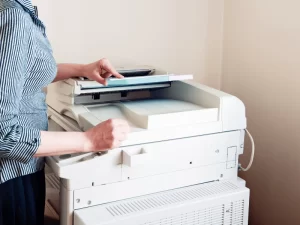
Female-employee-pressing-buttons-on-a-photocopier

Refurbished Photocopiers: Are They a Good Deal?

Refurbished Photocopiers: Are They Worth Buying? How to tell a properly prepared business machine from a used copier with a new sales label Refurbished photocopiers can offer excellent value when the individual machine has been properly inspected, serviced, tested and supported. The word refurbished on its own does not prove condition, remaining life or value. What Refurbishment Should Include Quick answer: a refurbished photocopier can be worth buying if the meter, age, service history, preparation work, support life and warranty justify the saving over a comparable new machine. Buy the condition and support package — not the label. The key distinction What is a refurbished photocopier? A refurbished photocopier is a previously used machine that has undergone preparation before being offered for resale. The quality and depth of that preparation can vary substantially between suppliers. A meaningful refurbishment should involve more than cleaning the covers. The supplier should be able to explain what was inspected, what was tested, what faults or wear were found, what was serviced or replaced, and what warranty or maintenance support will apply. There is little value in paying a premium for the word refurbished unless the supplier can explain what that word means for the specific serial-numbered machine you are buying. Do not buy the sales story “Ex-demo”, “one year old” and “move quickly” are not evidence of value An ex-demonstration or lightly used machine can be an excellent purchase. But age, scarcity and urgency do not tell you enough about its meter, condition, previous use, support life or price. Camelott® recently spoke to a customer who had been told that a small number of one-year-old ex-demo machines had become available and that he needed to move quickly to secure one. The urgency was passed to his manager and the paperwork was signed. A proper comparison would have shown alternative refurbished equipment with stronger preparation, warranty and value. Ex-demo does not tell you the meter Ask for the actual lifetime counters, installation history and, where available, evidence of how the machine was previously used. Urgency is not a specification “Only a few left” tells you nothing about wear, support life, configuration or whether the price is competitive. Equipment status should be explicit Ask whether the machine is new, ex-demo, previously installed, used, refurbished or remanufactured — and what preparation has actually taken place. Compare genuine alternatives Compare the proposed machine with suitable new, refurbished and used alternatives based on total cost, condition, warranty and expected support life. Salespeople and suppliers naturally have stock they would prefer to sell. That is not evidence that a machine is poor value; it is simply another reason to verify the machine, meter, preparation, support and price independently. Terminology Used vs refurbished photocopiers Both have been used before. The difference should be the preparation and support provided before the machine is supplied to its next customer. Check Used / ex-demo Properly refurbished Previous use Previously used or deployed; actual history varies. Previously used, with condition assessed before resale. Inspection May range from basic checks to detailed inspection. Should form a documented part of the preparation process. Cleaning May be mainly cosmetic. Should include relevant internal contamination, paper dust and toner/ink residue as appropriate. Wear components May be supplied in current condition. Should be inspected and faults or excessive wear addressed to the supplier’s sale standard. Functional testing Depends entirely on supplier. Should include print, copy, scan, feeder, duplex and fitted accessories. Data / settings May need resetting and sanitising before reuse. Stored data, credentials, address books and previous network settings should be appropriately cleared before redeployment. Warranty / support May be limited or sold as-is. Should have a clearly defined warranty or service arrangement if sold as a supported business device. Preparation What a proper refurbishment process should cover Not every supplier will use the same workshop process, but these are the areas we would expect to be considered before a used business MFP is supplied as refurbished. 1 Identify the exact machine Confirm model, serial number, fitted options, specification and current lifetime meters. 2 Check ownership and provenance Confirm the supplier has the right to sell the machine and establish what is known about its previous installation, environment and service history. 3 Inspect internal and external condition Look for impact damage, contamination, heavy paper dust, toner or ink leakage, corrosion, missing covers and evidence of poor treatment. 4 Clean properly Remove relevant internal contamination and paper debris rather than simply polishing exterior plastics. 5 Inspect service and wear items Review feed rollers, imaging components, transfer parts, fuser-related items and other model-specific service components. 6 Correct identified faults Repair or replace defective or excessively worn components where required to meet the supplier’s stated refurbishment standard. 7 Test sustained print and copy output Check mono and colour where applicable, long runs, feeding, registration, duplexing, recurring marks and image-quality consistency. 8 Test scanning and accessories Test the document feeder, duplex scanning, trays, finisher, stapling and other fitted options rather than checking the print engine alone. 9 Sanitise stored data and credentials Remove previous address books, stored jobs, network details, authentication settings and other customer data as appropriate to the device before it is redeployed. 10 Prepare it for the new customer Configure firmware, network settings, print drivers, scan destinations, security, user authentication and workflow features required at the new site. Advantages Why consider a refurbished photocopier? More specification for the budget A properly refurbished business-class A3 machine can sometimes cost less than a lower-specification new model while offering stronger scanning, paper capacity or finishing. Established platform Mature business models can have well-understood service requirements, established firmware and known parts needs. Flexible ownership Buying outright can avoid a long equipment-finance commitment where the purchase price and support arrangement fit the business. Extends useful equipment life Reusing a suitable machine can keep functioning equipment productive rather than replacing it solely because a newer model exists. Risks What can go wrong with refurbished photocopiers? Undefined refurbishment The largest risk is assuming the label means

Read More »
Photocopier, Printer Device in Office

Energy-Efficient Photocopiers: Saving Money and the Environment

Energy-Efficient Photocopiers Reduce power use without compromising your print and scan workflow Energy-efficient photocopiers can reduce electricity use, but power consumption is only one part of the environmental and financial picture. The right comparison also includes sleep behaviour, duplex printing, consumables, workload and whether replacing the existing device is actually necessary. Compare Print Energy Use Quick answer: compare the manufacturer’s Typical Electricity Consumption (TEC) or equivalent energy data, active and sleep power, wake-up behaviour and print technology. Then consider paper use, consumables, service life and whether fewer correctly sized devices could do the work of a larger fleet. Why energy matters A photocopier uses electricity while printing — and while waiting Office MFPs spend much of their working life ready for the next job rather than continuously printing. That makes sleep behaviour, automatic power management and wake-up efficiency important alongside power used during active printing. Active powerElectricity drawn while printing, copying, scanning or carrying out another active function. Ready / idle powerPower used while the device is available for work but is not currently producing a job. Sleep powerThe reduced-power state entered automatically after a period of inactivity. TECTypical Electricity Consumption provides a standardised basis for comparing relevant imaging equipment under a defined test method. Wake-up behaviourFast recovery from sleep makes it more practical to leave energy-saving settings enabled. Fleet sizeEnergy planning should look at the whole fleet. Several efficient devices may still consume more than fewer correctly placed devices. Avoid the easy assumptions Energy-efficient does not automatically mean cheaper, greener or more reliable overall Energy data tells you something useful about electricity use. It does not prove every other performance or sustainability claim about the machine. It does not prove a longer machine life Useful life depends on design, workload, environment, maintenance, parts availability and component wear. Low electricity consumption alone does not establish that one copier will last longer than another. It does not prove fewer paper jams Feed reliability depends on the paper path, media, rollers, maintenance, environment and device condition. Energy performance and paper-feeding reliability are separate characteristics. It does not automatically mean lower total cost Electricity is one cost. Equipment price, finance, CPC, ink or toner, service, parts and staff productivity can outweigh relatively small energy differences. It does not make the business “compliant” Buying a lower-energy copier does not by itself establish compliance with a sustainability policy, tender requirement or environmental reporting framework. Use the criteria that actually apply to your organisation. Technology choice Laser and business inkjet use energy differently Conventional electrophotographic photocopiers use heat in the fusing process. Business inkjet platforms do not need a toner fuser, so comparable inkjet devices can use less electricity during operation. Laser / toner MFPs Toner-based devices normally use a heated fuser to bond toner to the page. Modern models can still have effective sleep modes and competitive TEC figures, so “laser” should not automatically be read as “inefficient”. Business inkjet MFPs Epson’s current Heat-Free business inkjet range is one example designed around lower electricity use by removing the heated toner-fusing stage. Epson also attributes fewer replacement components and no warm-up time to this architecture. Epson’s Heat-Free statements are manufacturer claims about its own technology. For a live purchase, compare the published specifications for the exact inkjet and toner models being considered rather than applying one technology claim to every machine. Beyond electricity Paper and consumables can matter as much as the power meter A lower-energy machine does not help much if the organisation prints unnecessary pages, uses too many devices or repeatedly replaces equipment that still has useful service life. Duplex by default Automatic two-sided printing can reduce paper use where the document does not need single-sided output. Secure / pull printing Holding a job until the user authenticates can reduce abandoned print and helps protect confidential documents. Right-size the fleet Remove devices that are no longer required and avoid buying oversized machines just because they have a low headline CPC. Consumable design Compare cartridges, drums, fusers, maintenance boxes and other replacement items used over the expected service life. Useful life If an existing photocopier remains reliable, supported and efficient enough for the workload, extending its useful life can avoid premature replacement. End-of-life route Ask what happens to equipment and consumables when they leave your site, including collection, reuse, remanufacture and recycling arrangements. Labels and specifications What should you check on an energy-efficient photocopier? Use certifications as supporting evidence, but still compare the exact model’s published power and energy data. Check What it tells you Important limitation TEC or published energy consumption A standardised or manufacturer-published basis for comparing electricity use. Compare like-for-like product categories and test methods. Active, ready and sleep power How the device behaves in different operating states. Real use depends on volumes, hours and configured sleep timers. ENERGY STAR certification The model has met the applicable ENERGY STAR imaging-equipment efficiency criteria. ENERGY STAR is a certification, not a higher-is-better star rating. It is a US EPA programme. Blue Angel certification Criteria for certified printers/MFPs cover areas including low energy use, emissions, noise, durability, materials and recyclable design. Verify that the exact model carries the certification rather than relying on a manufacturer-wide claim. Automatic duplex and power management Whether useful paper-saving and automatic low-power functions are built in. Savings depend on appropriate configuration and actual user behaviour. The previous article advised looking for a “high ENERGY STAR rating”. That wording is incorrect: ENERGY STAR imaging equipment is certified against defined criteria; it is not given a higher-is-better star score. Calculate the real saving Use the actual machines and your actual working pattern Do not estimate savings from a marketing percentage alone. Use the published figures for the devices you are comparing and your own electricity cost. For each machine, collect TEC or relevant power figures and estimate how long it spends active, ready and asleep. Apply your organisation’s electricity tariff. Keep this calculation separate from lease, service and CPC costs so you can see how material the electricity saving really is.

Read More »
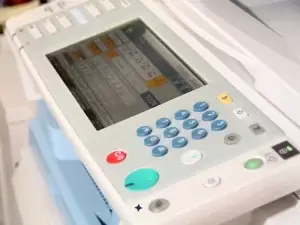
Large-Office-printer-Keypad

A Buyer’s Guide to Photocopier and Printer Leasing Solutions

Photocopier Lease Checklist What to check before signing a photocopier finance agreement This photocopier lease checklist helps you check the machine, finance term, amount financed, service costs, settlement and end-of-term obligations before making a multi-year commitment. A low monthly rental is only useful when the rest of the agreement is clear and commercially sensible. Compare My Photocopier Quote Quick answer: before signing, check exactly what equipment is being supplied, its condition, the finance term and total payments, any old settlement being carried forward, service/CPC separately, minimum billing, price-increase clauses, extra fees, notice requirements, return obligations and what happens at the end of the agreement. 01 Does the Agreement Match What You Were Quoted? Do not assume the finance paperwork says the same thing as the proposal or sales conversation. Read the document you are actually being asked to sign. New, used, refurbished or ex-demo? Is the equipment condition described correctly? Correct make and model? Are the manufacturer, model and material accessories clearly identified? Commercial fields completed? Avoid signing with material pricing or equipment fields left blank. Payments and term correct? Check the rental amount, frequency, start point and number of payments. Everything important in writing? If a promise materially affects the decision, make sure the written documents support it. Do not sign on the assumption that somebody will correct the paperwork afterwards. The document should already reflect the arrangement you believe you are entering. 02 Confirm the Exact Photocopier Specification Two quotations with similar monthly payments are not comparable if the underlying machines have different capabilities. Manufacturer & modelExact device being financed. Equipment conditionNew, used, refurbished or ex-demonstration. A3 / A4Paper sizes the business actually requires. Mono / colourDo not pay for colour where it is unnecessary. Print speedAppropriate for real workload and peak periods. Paper capacityTrays, bypass and high-capacity feeders where needed. ScanningFeeder, duplex scan speed, OCR and destinations. FinishingStapling, folding or booklet making where genuinely required. AuthenticationPIN, card, secure release and user controls. SoftwarePrint management or workflow products and their licence costs. 03 Check the Equipment Condition Used and refurbished photocopiers can offer excellent value, but age alone does not tell you enough. Check the actual machine and its expected support life. Machine History Ask for the current meter, approximate age, previous use where known, and what inspection, servicing or refurbishment has been completed. Future Support Consider how old the machine will be at the end of the proposed term and whether parts, firmware, drivers and technical support are likely to remain practical. Used Photocopier Checklist 04 Check the Finance Term A longer term can reduce the headline rental while extending the commitment to the same equipment. How long is the initial term? Check the exact number of months or rentals. How often are payments made? Monthly and quarterly figures are easy to miscompare. How old will the equipment be at the end? Especially important with used or refurbished devices. Does the term fit the expected workload and support life? A lower payment is not useful if the commitment becomes too long. Camelott® generally works around three-to-five-year equipment terms for longer-term leasing. A five-year agreement can be appropriate for suitable new equipment, but the machine, expected usage and support window should justify the commitment. 05 Find Out What Is Actually Being Financed The monthly rental does not tell you what value has been placed into the finance agreement. Ask for the commercial components to be shown clearly. What is the equipment selling price? What amount is being financed? What is the total of the scheduled rentals? Has settlement from an existing agreement been incorporated? Have software, delivery, documentation or other costs been added? 06 Keep Finance and Service Visible Separately The equipment finance and maintenance/service arrangement perform different jobs. Even when presented on one proposal, compare them as separate commercial elements. Equipment Finance Covers the agreed equipment and scheduled finance rentals under the finance agreement. Service Agreement May cover toner, parts, labour, engineer attendance, monitoring and mono/colour print charges. Keeping the two elements visible makes it easier to see whether a low finance rental is being offset by expensive service or minimum-print commitments. 07 Check Mono and Colour CPC Cost per copy can materially change the total cost of the contract, particularly where colour volume is high. What is the mono CPC? What is the colour CPC? How is a colour page classified? Are A3 pages charged differently? Are scans charged? If relevant to the proposal, establish whether scanning carries any fee. What happens when print volumes change? Compare Lease & CPC Costs 08 Check Minimum Billing and Included Prints A low CPC can be misleading if the contract requires payment for more pages than the organisation actually prints. Is there a minimum monthly or quarterly invoice? Is there a minimum page volume? Are print allowances bundled into another charge? What happens if volumes fall? Do unused allowances carry forward? Can the minimum be reviewed if the business changes? 09 Check Exactly What the Service Includes Hardware Support Confirm toner, parts, labour, engineer attendance, call-out arrangements and any exclusions. IT & Workflow Support Check whether drivers, scanning, firmware, address-book changes, authentication and print management are included or separately chargeable. 10 Look for Additional Charges Small recurring charges can become significant over a multi-year agreement. Setup or documentation fees. Annual administration or review fees. Invoice or payment-method charges. IT / networking charges. Software subscriptions. Toner delivery or carriage. Relocation charges. Collection, return, settlement or end-of-term fees. 11 Check Price-Increase Clauses Do not assume a service rate will stay at its opening price for the full agreement. Check what the written terms permit. Can mono and colour CPC increase? How often can an increase happen? How is it calculated? Is there any cap or defined mechanism? Can other recurring charges also change? 12 Check Existing Settlement First If you already have financed equipment, replacing the machine does not make the remaining finance liability disappear. Obtain a current written settlement figure. Check how many rentals remain. Check any notice or

Read More »
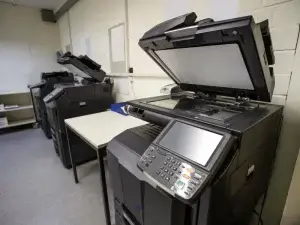
Photocopier room

How Photocopier Leasing Boosts Your Bottom Line

Photocopier Leasing Benefits for Business Cash flow, predictable equipment payments and the costs you still need to watch The real photocopier leasing benefits are mainly about spreading the equipment cost, preserving working capital and matching a planned payment term to a stable business requirement. Leasing is not automatically cheaper than buying, and the monthly rental is only one part of the total cost. Compare My Photocopier Costs Quick answer: leasing can help cash flow by avoiding a large upfront equipment purchase and replacing it with scheduled rentals. Whether it reduces total cost depends on the machine, finance term, service CPC, print volume, settlement and other charges. Start with the basics What Does Photocopier Leasing Actually Do? A photocopier lease spreads the equipment cost over an agreed finance term. The finance provider normally purchases the equipment and the customer makes scheduled rental payments under the agreement. The equipment finance and the dealer’s maintenance/service agreement are usually separate commercial elements. Toner, parts, labour and CPC should not be assumed to be included in the finance rental unless the written documents explicitly say so. Read the Main Leasing Guide Financial benefit 1 Leasing Can Preserve Working Capital Buying equipment outright means paying the acquisition cost from available cash or another funding source. Leasing replaces that large initial equipment payment with scheduled rentals. Keep Cash Available for Other Priorities Businesses may prefer to retain cash for stock, recruitment, marketing, premises, technology or other working-capital requirements instead of tying it up in office equipment. Spread the Equipment Cost Over Time Scheduled rentals can make a substantial business photocopier easier to accommodate within an operating budget than a single large purchase. Preserving cash is not the same as reducing total cost. A financed purchase can cost more overall than buying the same equipment outright, so compare the full commitment rather than treating the absence of a large upfront payment as a saving. Financial benefit 2 Scheduled Rentals Can Make Equipment Cost Easier to Budget Knowing the agreed equipment rental and payment frequency can make the finance element more predictable than an unplanned capital purchase. The important distinction is that predictable equipment finance does not make every photocopier cost fixed. Service CPC, print volumes, software and other charges may sit outside the finance agreement and can change according to the written terms. record the monthly or quarterly equipment rental; calculate mono and colour usage separately; check minimum billing or print allowances; identify annual CPC or service-price increases; include recurring software or IT charges; and include any existing settlement being carried into the replacement. The claim that needs testing Does Photocopier Leasing Actually Save Money? Sometimes — but not because the equipment is leased. Savings come from specifying the right machine, negotiating sensible finance and controlling the running costs around it. Right-Size the Machine Moving from an oversized photocopier to equipment that matches real print and scan demand can reduce equipment cost without sacrificing useful capability. Control Service CPC A small difference in mono or colour CPC can outweigh a lower finance payment on a busy machine. Avoid Hidden Settlement Replacing equipment early can add the old finance liability to the new commercial arrangement. That cost should remain visible. The useful comparison is not purchase price vs monthly rental. Compare the total cost and risk over the period you expect to use the machine, including equipment, finance, service, print volumes and the existing agreement. A common misconception Leasing Does Not Automatically Mean Unlimited Flexibility A multi-year finance agreement is a commitment. Changing the physical photocopier does not automatically cancel the finance attached to the previous equipment. Leasing Can Work Well When Needs Are Stable the organisation expects to keep similar equipment for several years; print and scan requirements are reasonably predictable; spreading equipment cost is useful; and the term matches the expected useful life of the machine. Rental May Be Better When Needs Are Uncertain the requirement is temporary or project-based; staff numbers or premises are likely to change; the business wants to test equipment first; or a multi-year finance commitment would reduce useful flexibility. Compare Short-Term Rental Technology planning Leasing Can Support a Planned Replacement Cycle A lease term can create a natural point to review equipment, but it does not mean the machine must be replaced simply because the initial term ends. At renewal, recheck the requirement. Print volumes may have fallen, scanning may have become more important, hybrid working may have changed the number of users, or the existing machine may still be perfectly adequate. review actual meter history rather than old estimated volumes; review scanning, cloud and authentication requirements; check whether A3 and finishing are still needed; check current support life and security needs; and compare new, professionally prepared used and keeping the current equipment. Do not mix the contracts Maintenance Is Not Automatically Included in the Lease This is one of the most common areas of confusion in photocopier quotations. Equipment Finance Normally covers the financed photocopier and the scheduled rentals agreed with the finance provider. Maintenance & Service Can separately cover toner, parts, labour, engineer support, monitoring and mono/colour CPC. A proposal may show both costs together for convenience, but cancelling or changing a service arrangement does not automatically remove a separate finance obligation. The real bottom-line test Measure the Whole Cost, Not Just the Monthly Rental A lease only improves the commercial position when the overall equipment and service solution makes sense for the organisation. Equipment rental: the finance payment for the photocopier. Mono CPC: black-and-white service cost multiplied by realistic volume. Colour CPC: colour service cost multiplied by realistic volume. Minimum billing: any unavoidable minimum service invoice or page allowance. Settlement: remaining liability on existing financed equipment. Software / IT: recurring print-management, scanning or support charges. End-of-term costs: notice, collection, return or other contractual charges where applicable. Use the Lease Checklist Choose the route last Leasing Is Useful — But It Is Not Always the Best Option Decide what equipment the business needs first. Then compare how it should

Read More »
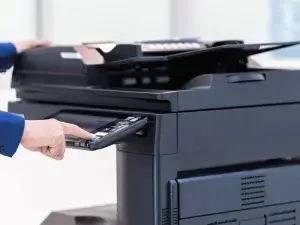
Office-professional-operating-photocopier-controls

Maximising Productivity with Affordable Photocopier Leasing

Affordable Photocopier Leasing Without Cutting Productivity The cheapest monthly payment is not always the cheapest or most productive solution Affordable photocopier leasing starts with choosing the right machine, not simply the lowest rental. A correctly specified photocopier can reduce wasted staff time, avoid paying for unused features and keep scanning, printing and document handling moving efficiently. Compare My Photocopier Quote Quick answer: affordable leasing is about total value. Match the machine to your print and scan volume, keep the lease term sensible, compare service CPC separately and avoid paying for features or capacity the office does not need. Start with the work, not the machine Productivity Comes From the Right Workflow A photocopier only improves productivity when it removes friction from the jobs staff actually perform. Print speed matters, but scanning, paper handling, authentication and reliability can matter just as much. Print Enough speed and paper capacity for peak jobs without buying unnecessary capacity. Scan Fast duplex scanning, sensible file sizes and useful destinations can save significant admin time. Finish Stapling, folding or booklet making only where those features genuinely replace manual work. Control Secure print and user authentication where confidentiality, waste control or reporting requires it. Right-size before pricing Understand Your Actual Photocopier Needs The easiest way to overspend is to choose the wrong specification and then finance it for years. Real Volume Use actual meter history where possible. Separate mono, colour, print and scan activity rather than relying on an old estimate. A3 or A4? Do not pay for a large A3 platform if the office only needs A4. Equally, an undersized A4 device can create workarounds if A3 is regularly required. Scanning Workload Document feeder speed, duplex scanning, OCR, Microsoft 365 or Google destinations and file quality may matter more than print speed in a scan-heavy office. Number of Users Check how many people share the machine, where they sit and whether one larger device or several smaller devices creates the better workflow. Paper Handling Look at tray capacity, envelopes, labels, heavier media and the number of different paper types that need to remain loaded. Finishing Features Only finance stapling, folding or booklet finishing when staff will actually use it often enough to justify the cost. Price properly Affordable Does Not Mean the Lowest Monthly Rental A low equipment payment can still produce a poor deal if the machine is wrong, the term is too long or the running costs are high. Equipment rental: what you pay for the financed machine. Lease term: how long you remain committed. Mono CPC: service cost for black-and-white pages. Colour CPC: service cost for colour pages. Minimum billing: any minimum page or invoice commitment. Existing settlement: old finance being carried into the replacement. Software / IT: recurring workflow, print-management or support charges. Compare the same machine specification, the same term and realistic print volumes before deciding which quotation is genuinely more affordable. Funding comes after specification Leasing Can Help Cash Flow, But It Is Not Automatically Cheaper Leasing avoids paying the full equipment purchase price upfront and replaces it with scheduled rentals. That can preserve working capital, but the total finance cost still needs comparing with purchase and other options. Leasing Can Suit Stable Requirements Where the organisation expects to use similar equipment for several years and preserving capital is useful, a sensible lease term can fit well. Rental Can Suit Changing Requirements Where staffing, premises or print requirements are uncertain, short-term rental can offer more useful flexibility than a long finance commitment. Compare Buy vs Lease View Short-Term Rental Keep the commercial elements clear Maintenance Is Not Automatically Part of the Lease Equipment finance and maintenance are usually separate agreements, even when a salesperson presents them together as one monthly solution. Equipment Finance Covers the financed equipment and scheduled rentals under the finance agreement. Service Agreement May separately cover toner, parts, labour, engineer attendance, monitoring and CPC. A good service agreement can reduce unexpected repair exposure, but it is the service agreement — not simply the fact that the machine is leased — that provides that support. Spend where it saves time Photocopier Features That Can Improve Productivity The right features can save staff time. The wrong features simply add cost. Fast Duplex Scanning A strong document feeder can matter far more than headline print speed where staff scan contracts, invoices, case files or records every day. Scan to Cloud & Email Well-configured destinations can reduce manual file movement and make documents easier to route into Microsoft 365, Google or other approved workflows. Secure Print Release PIN, card or account-based release can reduce abandoned output and prevent confidential pages sitting unattended at the machine. Paper Capacity Enough trays and capacity reduce interruptions, but excess capacity adds cost and footprint. Automatic Finishing Stapling and booklet production can remove manual work where the office regularly produces document sets. Print Management Where configured appropriately, print management can improve security, user control and visibility of device usage. Do not replace by default Sometimes the Most Affordable Upgrade Is No Upgrade at All An older photocopier is not automatically inefficient or unsuitable simply because a newer model exists. If the existing machine is reliable, secure enough for the organisation, supported and still fits the workload, keeping it can make more commercial sense than renewing early. Before replacing equipment, check the current finance settlement and compare the cost of waiting against the cost of moving now. Look beyond one photocopier Productivity Can Improve by Fixing the Whole Print Setup In a larger office, the best answer may not be a single cheaper lease. It may be changing where devices sit, separating high-volume work, improving scanning or removing unnecessary printers. review all office printers and photocopiers together; move high-volume jobs to the right device; reduce duplicated or underused equipment; separate mono and colour requirements where appropriate; improve scanning destinations and document workflows; and monitor usage so future equipment decisions use real data. Explore Managed Print Before committing Check the Agreement Before You Sign A productive machine

Read More »
Scroll to Top
Call Now Button