
Energy-Efficient Photocopiers
Reduce power use without compromising your print and scan workflow
Energy-efficient photocopiers can reduce electricity use, but power consumption is only one part of the environmental and financial picture. The right comparison also includes sleep behaviour, duplex printing, consumables, workload and whether replacing the existing device is actually necessary.
Quick answer: compare the manufacturer's Typical Electricity Consumption (TEC) or equivalent energy data, active and sleep power, wake-up behaviour and print technology. Then consider paper use, consumables, service life and whether fewer correctly sized devices could do the work of a larger fleet.
Why energy matters
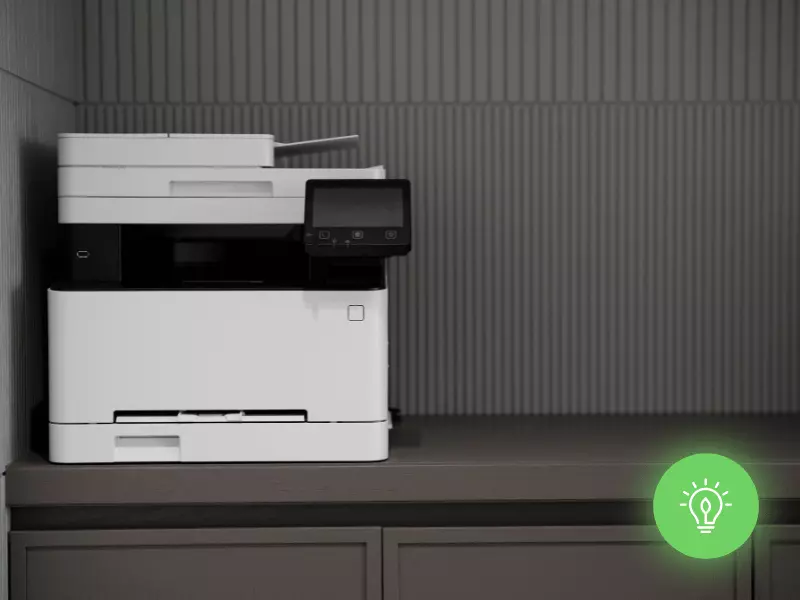
A photocopier uses electricity while printing — and while waiting
Office MFPs spend much of their working life ready for the next job rather than continuously printing. That makes sleep behaviour, automatic power management and wake-up efficiency important alongside power used during active printing.
Avoid the easy assumptions
Energy-efficient does not automatically mean cheaper, greener or more reliable overall
Energy data tells you something useful about electricity use. It does not prove every other performance or sustainability claim about the machine.
It does not prove a longer machine life
Useful life depends on design, workload, environment, maintenance, parts availability and component wear. Low electricity consumption alone does not establish that one copier will last longer than another.
It does not prove fewer paper jams
Feed reliability depends on the paper path, media, rollers, maintenance, environment and device condition. Energy performance and paper-feeding reliability are separate characteristics.
It does not automatically mean lower total cost
Electricity is one cost. Equipment price, finance, CPC, ink or toner, service, parts and staff productivity can outweigh relatively small energy differences.
It does not make the business “compliant”
Buying a lower-energy copier does not by itself establish compliance with a sustainability policy, tender requirement or environmental reporting framework. Use the criteria that actually apply to your organisation.
Technology choice
Laser and business inkjet use energy differently
Conventional electrophotographic photocopiers use heat in the fusing process. Business inkjet platforms do not need a toner fuser, so comparable inkjet devices can use less electricity during operation.
Laser / toner MFPs
Toner-based devices normally use a heated fuser to bond toner to the page. Modern models can still have effective sleep modes and competitive TEC figures, so “laser” should not automatically be read as “inefficient”.
Business inkjet MFPs
Epson's current Heat-Free business inkjet range is one example designed around lower electricity use by removing the heated toner-fusing stage. Epson also attributes fewer replacement components and no warm-up time to this architecture.
Epson's Heat-Free statements are manufacturer claims about its own technology. For a live purchase, compare the published specifications for the exact inkjet and toner models being considered rather than applying one technology claim to every machine.
Beyond electricity
Paper and consumables can matter as much as the power meter
A lower-energy machine does not help much if the organisation prints unnecessary pages, uses too many devices or repeatedly replaces equipment that still has useful service life.
Duplex by default
Automatic two-sided printing can reduce paper use where the document does not need single-sided output.
Secure / pull printing
Holding a job until the user authenticates can reduce abandoned print and helps protect confidential documents.
Right-size the fleet
Remove devices that are no longer required and avoid buying oversized machines just because they have a low headline CPC.
Consumable design
Compare cartridges, drums, fusers, maintenance boxes and other replacement items used over the expected service life.
Useful life
If an existing photocopier remains reliable, supported and efficient enough for the workload, extending its useful life can avoid premature replacement.
End-of-life route
Ask what happens to equipment and consumables when they leave your site, including collection, reuse, remanufacture and recycling arrangements.
Labels and specifications
What should you check on an energy-efficient photocopier?
Use certifications as supporting evidence, but still compare the exact model's published power and energy data.
| Check | What it tells you | Important limitation |
|---|---|---|
| TEC or published energy consumption | A standardised or manufacturer-published basis for comparing electricity use. | Compare like-for-like product categories and test methods. |
| Active, ready and sleep power | How the device behaves in different operating states. | Real use depends on volumes, hours and configured sleep timers. |
| ENERGY STAR certification | The model has met the applicable ENERGY STAR imaging-equipment efficiency criteria. | ENERGY STAR is a certification, not a higher-is-better star rating. It is a US EPA programme. |
| Blue Angel certification | Criteria for certified printers/MFPs cover areas including low energy use, emissions, noise, durability, materials and recyclable design. | Verify that the exact model carries the certification rather than relying on a manufacturer-wide claim. |
| Automatic duplex and power management | Whether useful paper-saving and automatic low-power functions are built in. | Savings depend on appropriate configuration and actual user behaviour. |
The previous article advised looking for a “high ENERGY STAR rating”. That wording is incorrect: ENERGY STAR imaging equipment is certified against defined criteria; it is not given a higher-is-better star score.
Calculate the real saving
Use the actual machines and your actual working pattern
Do not estimate savings from a marketing percentage alone. Use the published figures for the devices you are comparing and your own electricity cost.
For each machine, collect TEC or relevant power figures and estimate how long it spends active, ready and asleep. Apply your organisation's electricity tariff. Keep this calculation separate from lease, service and CPC costs so you can see how material the electricity saving really is.
- compare the same expected workload on both devices;
- include realistic sleep and wake behaviour;
- use your organisation's current electricity price;
- compare the whole fleet where equipment is being consolidated;
- keep equipment/service costs separate from electricity; and
- state the methodology if you convert electricity savings into carbon savings.
Do not replace for the sake of replacing
The greener decision may be to keep the photocopier you already have
Lower running energy is useful, but replacement equipment also has to be manufactured, transported and eventually dealt with at end of life.
If the current photocopier remains reliable, supported, secure enough for the organisation and correctly sized for the workload, first check whether power-management settings, duplex defaults, secure print or fleet rationalisation can reduce waste without replacing it.
Replace equipment when the whole case makes sense — energy, reliability, workflow, support life and total cost — rather than because a newer machine carries a greener label.
Buying checklist
How to choose an energy-efficient photocopier
1. Choose the right size
Match volume, users, A3/A4, scanning and finishing before comparing energy. An oversized machine can undermine the point of buying an efficient model.
2. Compare published energy data
Look for TEC or equivalent energy data plus active, ready and sleep figures on the exact configurations being considered.
3. Check sleep and wake behaviour
Energy-saving settings only help if users can live with them and do not routinely disable them.
4. Look beyond electricity
Compare duplexing, secure print, consumable design, useful life, parts support and whether the device allows fleet reduction.
5. Verify environmental labels
Check the exact model against the relevant certification database rather than assuming every device in the range is certified.
6. Compare total cost
Energy savings sit alongside finance, service, mono and colour CPC, consumables and expected working life.
Common questions
Energy-efficient photocopier FAQs
Do energy-efficient photocopiers save money?
Is an inkjet photocopier more energy-efficient than a laser photocopier?
Does ENERGY STAR give photocopiers a star rating?
What is Blue Angel certification?
Do energy-efficient photocopiers last longer?
Should I replace an older photocopier with a more efficient model?
Useful references
Check the evidence behind the energy claim
Want to compare the energy use of your current photocopier?
Tell Camelott® which machines you have, your approximate volumes and what you are considering replacing them with. We can compare energy alongside print costs, scanning, workflow and the commercial case rather than looking at electricity in isolation.
General buying guidance. Energy performance varies by model, configuration, workload and settings. Manufacturer-specific environmental claims should be checked against the specification and certification for the exact device being considered.