School Lockdown Alarm Systems

When Every Second Counts: Why a School Lockdown Alarm Matters in UK Schools

Why Schools Need a Lockdown Alarm UK incidents, risks and lessons for faster emergency communication A school lockdown alarm can help staff warn the rest of the site quickly when normal movement may increase risk. Serious incidents are relatively rare, but the evidence shows why schools need an alert method that can be raised quickly, reaches the people who need to act and is clearly understood. See the Evidence Evidence checked 22 September 2026 · Incident examples are illustrative and are not a complete national dataset. The planning problem The threat may be rare. The response still has to be fast. Department for Education guidance treats serious security incidents as relatively uncommon, but still expects education settings to consider vulnerabilities, preparedness and how staff and learners will respond when an incident occurs. Its school and college security guidance, updated on 3 July 2026, says schools should review invacuation and evacuation procedures and consider dynamic lockdown procedures where a significant security risk is identified. The case for a school lockdown alert is not that every incident can be predicted. It is that staff may need a reliable way to communicate when leaving a room, moving through the site or following the normal fire-evacuation route could increase risk. An alarm does not make the decision for the school. It communicates the decision once the school’s emergency procedure has been activated. Read the current DfE school and college security guidance . London police data What the Metropolitan Police school knife-crime disclosure shows The Metropolitan Police disclosed records for knife-related offences recorded at school and nursery locations between January 2018 and September 2023. Camelott® analysed the underlying workbook for the original version of this article. 405 offences in the crime-category table at London school and nursery locations 265 homicide or violence-with-injury offences in the largest crime-category grouping 208 records in the separate knife-use table where a knife or sharp instrument was used to injure 150 records involving a threat or attempt to injure in that separate table 222 suspects recorded as attending the victim’s school in the relationship field Important limitation: these are Metropolitan Police administrative records, not a UK prevalence study. The source tables classify the data in different ways and can produce slightly different totals. They should not be presented as a national incident rate. View the Metropolitan Police disclosure . Current national response Knife crime around schools is being treated as a specific policy issue In April 2026, the Government announced the Safety In & Around Schools Partnership for areas experiencing high levels of knife crime during school commuting hours. The programme is intended to provide specialist support to up to 250 schools in identified hotspots. That does not mean every school faces the same level of risk. It does show that school environments and journeys to and from school are part of wider violence-prevention work. Read the Government announcement . Incident examples UK education incidents show why the alert must work before every fact is known These examples are shown newest first. They illustrate different circumstances in which a school or education setting may need to secure people, restrict movement, evacuate or communicate rapidly while emergency services establish what is happening. 3 September 2026 update · Milford Haven, Pembrokeshire Milford Haven Comprehensive School — teacher attacked with a knife in a classroom Dyfed-Powys Police confirmed that a teenager who attacked a teacher with a knife in a classroom on 5 February 2026 was sentenced in September. Police said a lockdown was implemented after the attack while officers and other emergency services attended. Planning lesson: an incident can begin inside a classroom with little warning. A school needs a way to communicate across the wider site without relying on staff near the incident reaching reception first. Dyfed-Powys Police sentencing update 28 August 2026 update · Nottingham NUAST — pupil sentenced after premeditated school stabbing Nottinghamshire Police confirmed that a 15-year-old pupil was sentenced after stabbing another 15-year-old pupil at Nottingham University Academy of Science and Technology on 5 March 2026. Police said the offender had brought two knives onto school premises. Planning lesson: serious incidents may involve pupils already inside the site. The alert and response plan therefore needs to work for internal threats as well as an unknown intruder. Nottinghamshire Police sentencing update 21 July 2026 · Hersham, Surrey Precautionary lockdowns during an armed-police response Armed officers were sent to Bell Farm Way after reports of a person with a weapon. Education settings in the area activated safeguarding procedures while police established the nature and location of the risk. Two 18-year-old men were subsequently charged with possession of a bladed article in a public place. Planning lesson: the danger does not have to originate inside the school. A nearby police incident can require precautionary action before the full circumstances are known. Surrey Police update 14 July 2026 · Derby Saint Benedict Catholic Voluntary Academy — pupil injured in knife incident Police attended after an incident involving students at the end of the lunch break. A pupil suffered a minor leg injury and a 15-year-old boy was arrested on suspicion of assault and possession of an offensive weapon. Planning lesson: an incident can involve people already inside the school. Emergency communication therefore cannot be designed only around an unknown intruder entering the site. 14 July 2026 · Birmingham Hamd House School — bomb threat prompts evacuation and police search The school was evacuated after receiving a threatening email. Police attended, searched the premises and later gave the all-clear after determining there was no credible threat. Planning lesson: not every security incident should produce a lockdown. A school needs procedures and communication methods that can distinguish between lockdown, invacuation, evacuation and other instructions. Read the incident report 9 June 2026 · Manchester Blackley school — serious knife attack on the school site Police were called to a school on Plant Hill Road after reports of a stabbing. A 14-year-old girl was later charged with three counts of attempted murder and two

Read More »

Sustainable Print Presentation

Laser v Ink comparison video https://camelott.co.uk/wp-content/uploads/2024/11/a11347-productvideo-en-int-a3_rips_wf-c878r_wf-879r_full_length_rno.mp4 Sample Sustainable Print Report Get a free personalised report for your organisation to compare most printing machines against Epson.  Contact us now to book it in: [fluentform type= id=”3″]

Read More »
Football stadium lockdown alarm

Martyn’s Law – Lockdown

Martyn’s Law Lockdown Procedures Emergency alert planning for premises, schools and public venues Martyn’s Law lockdown procedures are one part of a wider emergency response. The Act identifies lockdown alongside evacuation, invacuation and communication, but the correct response still depends on the location of the threat, the premises and the information available at the time. Build a Lockdown Procedure Current legal position: the Terrorism (Protection of Premises) Act 2025 is law, but its substantive duties are not yet in force. The SIA currently expects commencement in spring 2027, with the exact date still to be confirmed. The SIA said on 11 September 2026 that optional Standard and Enhanced Tier templates are being developed; organisations will not be required to use those templates. Operational focus What is a lockdown procedure? The Act defines lockdown as securing premises or an event to prevent individuals entering or leaving. In practical emergency planning, a site may also need to manage movement inside the premises, control access points and combine lockdown with evacuation or invacuation as the incident develops. Evacuation Move people out of the premises, event or part of it to get away from danger. Invacuation Move people to a place within the premises or event where the risk of physical harm is lower. Lockdown Secure the premises or event to prevent individuals entering or leaving. Communication Provide people with information about the danger and the action they should take. These four procedures are specified in the Act. They are not four separate products. The Responsible Person needs to consider how appropriate procedures can be implemented quickly and effectively, so far as is reasonably practicable, when the relevant duties commence. Scenario planning When might a lockdown response be appropriate? An incident label should not automatically determine the response. The question is whether restricting entry, exit or movement is likely to reduce harm in the circumstances. 01 Threat outside A dangerous incident near the premises where bringing people inside or stopping normal entry and exit may be safer than allowing movement to continue. 02 Intruder or violent threat A serious threat inside or approaching the site where movement through shared areas could increase exposure. 03 Weapon-related report A credible report of a weapon or serious violence where the site’s plan may require people to secure themselves rather than move through the premises. 04 Emergency-service instruction Police or another emergency service may advise the premises to restrict entry, exit or movement as information develops. ProtectUK guidance stresses that the correct response can be evacuation, invacuation, lockdown, use of protected spaces or a combination. Initial decision-making should be rapid and proportionate and may need to change as the situation develops. Procedure structure What should a practical lockdown procedure define? The written procedure should answer the questions people are likely to face under pressure. It should not depend on staff interpreting vague instructions during an incident. 1 Who can initiate the response? Identify the roles authorised to start the procedure and what happens if the normal decision-maker is unavailable or cannot reach the usual control point. 2 How is the alert raised? Define the primary alert method and a proportionate fallback. The signal should be recognisable and clearly distinguishable from routine signals and the normal fire alarm. 3 What action should people take? Describe what staff, visitors, pupils, contractors and others should do according to where they are and the information available. 4 How are doors, access points and movement managed? Identify which access points can be secured, how escape routes remain available where needed, and how the procedure avoids creating a new hazard. 5 What happens to people outside? Include car parks, playgrounds, sports areas, loading points, smoking areas, external workspaces and people arriving during the incident. 6 How are emergency services contacted? Define who calls 999, who acts as backup and how the site will provide useful information about the incident, access and occupied areas without delaying the call. 7 How is a change of procedure or all-clear authenticated? Silence or a stopped sounder is not an all-clear. Define who can change or end the procedure and how staff will verify that the instruction is genuine. 8 What happens after the incident? Include welfare, accountability, evidence preservation, communication with families or stakeholders, system reset, debriefing and review. Use the Protection Plan Template Emergency communication The alert must be clear, rapid and distinguishable Communication is a separate public protection procedure in the Act. A lockdown plan therefore needs to cover both the physical response and how people receive information. A useful alerting arrangement should support rapid activation from suitable locations; coverage across the areas that need to receive the warning; a clear distinction from the fire alarm and routine bells; audible and, where appropriate, visual notification; consistent instructions and terminology; accessibility for people who may not perceive one form of alert; resilient operation appropriate to the site; and a controlled and recognisable all-clear process. Avoid relying only on word of mouth moving from room to room; one mobile phone or messaging group as the sole site-wide method; one control point that may be inaccessible during the incident; a signal people may confuse with fire evacuation; codes that visitors or temporary staff do not understand; or an alert method that is never tested in normal operating conditions. Critical distinction Why a fire alarm is not automatically a lockdown alarm Fire and security incidents can require different actions. The response should come from the emergency plan rather than an assumption that one signal is suitable for every hazard. Issue Fire response Lockdown / security response Primary objective Move people away from the fire hazard, commonly by evacuating. Restrict entry, exit or movement where doing so reduces exposure to the threat. Signal meaning Usually activates the site’s established fire procedure. Should communicate a clearly understood security action or instruction. Route choice Uses planned fire escape routes subject to the fire procedure. A normal route may be unsafe if it takes people towards an attacker, device or contaminated area. Design

Read More »

Upgrading Your Photocopier: When to Trade-In vs. Continue a Lease

Upgrading Your Photocopier: When to Trade-In vs. Continue a Lease Compare the machine, the agreement and the real cost before replacing it Upgrading your photocopier makes sense when the operational or financial benefit of changing is greater than the cost of keeping the existing machine. If the copier is still under lease, that decision must include the remaining finance settlement — not just the price of the replacement. Compare My Current Costs Quick answer: keep the current photocopier if it is reliable, supported, correctly specified and economical to run — especially where a large lease settlement remains. Consider changing it when reliability, workflow, support life, security or operating cost creates a genuine business case that outweighs the cost of exiting the current arrangement. Start in the right place Separate the photocopier from the finance agreement Businesses often talk about “the copier contract” as though the machine, finance and service are one thing. They may not be. Before upgrading, identify exactly what you are committed to and what would change. Equipment finance Check the lease term, remaining payments and current settlement figure. Replacing the physical machine does not automatically cancel the finance agreement attached to it. Service agreement Check service charges, mono and colour cost-per-copy rates, minimum billing, price increases and whether toner, parts and labour are included. The machine itself Look at age, meter, reliability, support life, print quality, scan performance, security, paper handling and whether it still suits the way your staff work. Reasons to replace When upgrading a photocopier can make sense Age alone is not a reason to replace a machine. The stronger case is when the current device is creating measurable cost, disruption or limitation. Reliability is affecting work Repeated faults, jams or service visits can become expensive even when repair parts are covered. Staff time, missed deadlines and interrupted scanning can matter more than the engineer’s invoice. The machine is no longer correctly specified A copier chosen for a smaller office may become a bottleneck after growth, while an oversized machine may be unnecessarily expensive after print volumes fall. Scanning or workflow has changed Modern requirements may include Microsoft 365, Google services, secure scanning, OCR, searchable PDFs, user authentication or more reliable document feeding. Security or support life is becoming a concern Older devices can reach a point where firmware, components, operating-system support or compatible applications become harder to maintain. Running costs are materially higher Compare the current service charge, cost per copy, waste, energy use and maintenance burden with a realistic replacement — not simply the headline lease payment. The business needs a different equipment mix Sometimes the right upgrade is not one newer photocopier. It may be fewer devices, mono equipment in high-volume areas, smaller A4 devices or a different scan/print layout. Reasons not to change When continuing with the existing photocopier is the better decision A newer machine is not automatically better value. There are situations where changing early simply adds cost without solving a meaningful problem. Keep it when… the machine is reliable and properly supported; print and scan performance still matches the workload; security and software support remain adequate; service and cost-per-copy charges are competitive; a substantial finance settlement remains; and the replacement would mainly provide features staff will not use. Consider changing when… downtime is disrupting the business; service support or parts availability is declining; the copier is too slow, too small or otherwise incorrectly specified; important scanning or security functions are missing; the full cost of changing is justified by measurable benefits; or the existing agreement is close enough to the end that settlement is manageable. Camelott®’s current leasing guidance makes the same point: keeping the existing machine can be the lowest-cost route where it remains reliable, correctly specified, supported and inexpensive to operate — particularly if a significant settlement remains. The part often missed What happens to the existing lease if you trade the photocopier in? A trade-in allowance and a finance settlement are separate figures. Trading the old machine to a supplier does not usually make the remaining finance liability disappear. If you upgrade before the current finance term ends, ask for the written settlement figure. Then ask the new supplier to show separately: the settlement on the existing finance agreement; any genuine trade-in value or credit for the current machine; the price of the replacement equipment; the term and payment for the new finance agreement; the service charge and cost-per-copy rates; and any additional software, IT, delivery or documentation charges. Be careful when a proposal only shows a new monthly payment. A low-looking payment can hide an old settlement inside a longer new agreement. Compare the total commitment, not just the monthly figure. Make the numbers comparable Compare the cost of changing now with the cost of keeping it There is no single calculation that works for every business, but the comparison should include the costs that actually change between the two options. Changing now Existing settlement + replacement equipment / finance + new service costs − genuine trade-in credit Keeping the current machine Remaining finance payments + current service / CPC costs + expected repair or downtime impact Then compare the operational difference: speed, reliability, scanning, support life, security and any staff time genuinely saved. Do not put an invented monetary value against a feature just to make the upgrade appear cheaper. Use the Quote Comparison Tool Trade-in vs continue Photocopier trade-in vs continuing the lease Question Trade-in / upgrade now Continue with current machine Existing finance Settlement normally needs to be dealt with before or as part of the change. Existing payments continue under the current agreement. Reliability Can make sense where downtime has become a material operational problem. Often sensible where the current machine remains reliable and supported. Technology Useful where missing scan, security, authentication or workflow functions have real value. Avoid replacing equipment simply for features that will not be used. Monthly payment May rise or fall depending on equipment, settlement, term and finance structure. Known existing payment, but still

Read More »

The Wild World of Business Printing, Scanning, and Copying

The Real World of Business Printing, Scanning and Copying Modern office document workflows are about far more than putting ink on paper Business printing now sits alongside scanning, copying, secure print, cloud storage and document workflows. The right setup is not necessarily the biggest photocopier or the fastest printer; it is the combination of equipment and support that makes everyday document work easier for the people using it. Review My Print Setup Quick answer: a modern business print setup usually combines printing, scanning and copying with user authentication, digital filing and technical support. Start with what staff actually do with documents, then choose the equipment around that workflow. How office document work has changed Printing is only one part of the job now The old office model of a printer in one corner, a separate photocopier and a scanner somewhere else has largely given way to multifunction devices and connected workflows. But combining functions in one machine is only useful when the setup matches the way the team works. Print Everyday office documents, reports, letters, customer packs, school resources, invoices, colour proposals and controlled confidential output. Scan Paper into email, network folders, Microsoft 365, cloud storage, document systems or searchable digital files. Copy Fast reproduction of documents without needing a PC, often with duplexing, resizing, sorting and finishing where required. Multifunction devices When one office printer, scanner and copier makes sense A multifunction printer can centralise everyday document work and reduce the number of separate devices the business has to buy, support and supply with consumables. Compact A4 equipment Smaller teams that mainly print standard office documents may only need an A4 MFP. This can provide strong scanning and secure print without taking up the space of a larger floor-standing A3 photocopier. A3 office photocopiers Busier departments may need A3 paper, higher capacity, faster duplex scanning, larger document feeders, extra trays or finishing for booklets, reports and packs. For the equipment definitions and buying criteria, use the dedicated multifunction printer (MFP) guide . The part offices often underestimate Scanning can matter as much as printing In many offices the photocopier is now a document-capture device as much as a printer. A weak scan setup can waste staff time even when the print engine itself is perfectly adequate. Document feeder reliability High-volume scanning depends on the document feeder coping with mixed originals, duplex pages and everyday paper condition without repeated misfeeds or double feeds. Useful scan destinations Staff may need scan-to-email, network folders, cloud storage, Microsoft 365, shared document systems or other configured destinations rather than simply scanning to a PC. File quality and size Resolution, colour settings, compression and OCR affect whether a scanned document is readable, searchable and practical to email or store. Security and permissions Authentication, address-book control and permissions can matter where documents contain confidential, financial, legal, HR, medical or safeguarding information. Managed print The machine is only half the print environment A reliable print setup also depends on toner supply, maintenance, drivers, scan configuration, user support and visibility of what the devices are costing. A managed print service can bring equipment, consumables, servicing and usage information into one support arrangement. That is different from simply leasing a photocopier: the finance agreement pays for equipment, while managed print deals with the environment around the equipment. maintenance, parts and engineer support according to the service plan; toner monitoring and replenishment; print and scan configuration; usage reporting and cost visibility; support when staff cannot print or scan; and periodic review of whether the device mix still matches the workload. Managed Print Services Choose around the workload What should you check before choosing office print equipment? Pages per minute is useful, but it is rarely the first specification that should decide the machine. Monthly volume Estimate mono and colour pages, scanning volume and busy periods so the machine is not either over-specified or permanently working at its limits. A3 or A4 Buy A3 capability where the team actually uses larger paper, extra capacity or finishing. Many departments are better served by a smaller A4 device. Number of users A printer shared by three people has a very different requirement from a central device serving a busy department or an entire floor. Scanning workload Consider feeder capacity, duplex scan speed, destinations, OCR and the condition of the originals staff actually handle. Security PIN release, card authentication, user permissions and current security support can be more important than headline print speed for sensitive workplaces. Service and running cost Compare equipment payment, service charges, cost per copy, toner, minimum billing and existing settlement rather than looking at the hardware price in isolation. Funding the equipment Buy, lease or rent the office equipment? The equipment requirement and the funding route are separate decisions. Choose the machine first, then decide how it should be paid for. Option Usually suits What to check Buy Organisations with available capital that want to own the equipment. Purchase price, support, expected ownership period and whether new or professionally prepared used equipment gives better value. Lease Stable longer-term requirements where spreading the equipment cost is useful. Term, payment, settlement, service costs and total commitment rather than monthly rental alone. Short-term rental Temporary, project-based or uncertain requirements. Monthly cost, minimum rental period, delivery, setup and support. Photocopier Leasing Longer-term equipment finance Short-Term Photocopier Rental Monthly rental from one month Larger organisations One large photocopier is not always the best answer Multi-department and multi-site businesses often get better results by matching different devices to different workloads rather than standardising every location on the same model. High-volume areas Accounts, production administration, schools and other document-heavy teams may justify faster scanning, larger paper capacity or dedicated mono equipment for long runs. Smaller departments A compact A4 colour device can be more practical where the team has modest volume but needs strong scanning and secure local access. Consistent user experience Common print drivers, authentication and scan workflows can simplify support even where the physical devices are different sizes or models. Review the fleet over

Read More »

Finding the Best Photocopier Brands for Your Needs

Best Photocopier Brands for Business How to compare Toshiba, Epson, Konica Minolta and Katun Arivia properly The best photocopier brands are not automatically the brands with the best-known name. The right choice depends on the individual model, your print and scan workload, paper handling, security, running cost and the support you receive after installation. Compare the Brands How to read this comparison: Camelott® is a Toshiba Gold Partner and also supplies Katun Arivia, Epson and Konica Minolta equipment where it fits the requirement. Manufacturer specifications are identified as such; comments about reliability, scanning, paper behaviour and serviceability are based on our own field experience and should not be treated as independent laboratory testing. Define “best” first What makes one photocopier brand better for your business? Reliability matters, but even a good platform can be a poor choice if the machine is undersized, badly configured or supported by a supplier that cannot solve the workflow problems around it. Workload fit Can the actual model comfortably handle your monthly volume, peak periods, paper capacity, A3/A4 requirement and finishing? Scanning & workflow Check feeder performance, scan speed, OCR, authentication and the destinations staff actually use, including Microsoft 365, Google or document-management systems. Running cost Compare equipment cost, colour and mono CPC, service charges, minimum billing, consumables and the real colour coverage of your documents. Support life Consider parts, firmware, operating-system compatibility and how long you intend to keep the machine. Energy & waste Technology type, heat, power draw and consumable design can matter where energy reduction or waste is a material buying requirement. Dealer support Installation, driver configuration, scan setup, diagnosis and parts response can have as much effect on day-to-day ownership as the manufacturer’s badge. What we see in real customer environments Toshiba, Epson, Konica Minolta & Katun Arivia These are not universal verdicts on every machine a manufacturer has ever made. They are a practical summary of the current ranges we work with and the patterns we have seen while installing, supporting and replacing business equipment. Toshiba e-STUDIO Our usual all-round benchmark Scanning and workflow are strong in our experience. We support several scanning-heavy professional customers who have specifically commented on Toshiba scan quality and usability. The range is broad. Toshiba covers compact A4 equipment, A3 mono and colour MFPs, higher-speed devices, multiple paper configurations and finishing options. It suits mixed office requirements well. Where print, scan, authentication, finishing and different departments all matter, Toshiba is normally one of the first platforms we compare. It is not automatically the right choice. A simpler or more specialist requirement can favour another platform. Compare Toshiba photocopiers → Epson WorkForce Enterprise Strong energy proposition with different inkjet economics Energy use is a genuine strength. Epson’s Heat-Free business inkjet technology avoids the fuser heating process used by conventional laser equipment and Epson states that comparable inkjet devices consume substantially less electricity. Paper and image coverage deserve more attention. In our field experience, media choice and print settings can have a more noticeable effect on output and ink behaviour than customers used to toner devices may expect. Routine maintenance can be simple. The architecture has fewer of the traditional drum/fuser consumables found in laser MFPs. Application fit matters. High colour coverage, long periods of very low colour use, specialist media and finishing requirements should be modelled rather than assuming the lowest-energy machine is automatically the lowest-cost machine. Compare Epson business printers → Konica Minolta Strong colour and a deep route into production print Colour output is a notable strength in our experience. Konica Minolta is particularly worth comparing where colour quality is scrutinised closely. The office i-Series remains substantial. Current UK models include higher-speed A3 office systems such as the 65ppm bizhub C651i. Its production-print range is much deeper than a normal office MFP range. Current AccurioPress systems extend well beyond normal office workloads and media handling. Judge the exact model and support package. Production capability on the brand does not mean every office needs a production-class machine. Compare Konica Minolta photocopiers → Katun Arivia A newer UK MFP range with a broader record developing Arivia is still relatively new. Katun launched its MFP range in Europe, including the UK, in November 2024, so it does not yet have the same long field history as Toshiba or Konica Minolta. The current range is now substantial. Katun lists 11 A3 MFPs: six colour models from 25–65ppm and five mono models from 25–55ppm. Security integration has moved on. Katun announced portfolio compatibility with inepro RFID and mobile authentication tools in May 2026. Environmental certification has strengthened. Katun announced Blue Angel certification for the Arivia MFP line in June 2026. Our early service experience has been encouraging. We still describe it as a newer proposition rather than claiming a long-term reliability record it has not yet had time to build. Compare Katun Arivia photocopiers → Worked consumables example · checked 22 September 2026 Why colour coverage can change the economics One useful difference between platforms is how much of the page cost sits in the coverage-sensitive consumable. The example below uses the Epson WorkForce Enterprise AM-C6000 and Toshiba e-STUDIO6525AC because both are high-speed A3 colour devices and current yield data is published for each. Epson WorkForce Enterprise AM-C6000 Epson publishes 50,000 pages for black and 30,000 pages for each colour ink pack. Using genuine Toner24 UK prices visible on 22 September 2026 and removing VAT gives a simplified CMYK consumable calculation of about: Reference ~20% total CMYK coverage 1.75p Illustrative ~40% total coverage 3.50p The 40% figure is a proportional illustration, not an Epson-rated yield. Actual ink use changes with image composition, cleaning, media, print mode and usage conditions. Toshiba e-STUDIO6525AC Toshiba publishes toner yields of 39,800 pages for black and 38,000 pages for each colour at 5% coverage. Using current genuine Toner24 UK prices and removing VAT gives a simplified CMYK toner calculation of about: 20% total CMYK coverage 0.83p Illustrative 40% total coverage 1.66p The 40% figure again assumes proportional consumption. Real toner and component life

Read More »
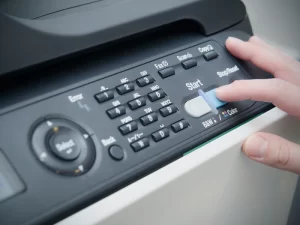
Female-employee-pressing-buttons-on-a-photocopier

Refurbished Photocopiers: Are They a Good Deal?

Refurbished Photocopiers: Are They Worth Buying? How to tell a properly prepared business machine from a used copier with a new sales label Refurbished photocopiers can offer excellent value when the individual machine has been properly inspected, serviced, tested and supported. The word refurbished on its own does not prove condition, remaining life or value. What Refurbishment Should Include Quick answer: a refurbished photocopier can be worth buying if the meter, age, service history, preparation work, support life and warranty justify the saving over a comparable new machine. Buy the condition and support package — not the label. The key distinction What is a refurbished photocopier? A refurbished photocopier is a previously used machine that has undergone preparation before being offered for resale. The quality and depth of that preparation can vary substantially between suppliers. A meaningful refurbishment should involve more than cleaning the covers. The supplier should be able to explain what was inspected, what was tested, what faults or wear were found, what was serviced or replaced, and what warranty or maintenance support will apply. There is little value in paying a premium for the word refurbished unless the supplier can explain what that word means for the specific serial-numbered machine you are buying. Do not buy the sales story “Ex-demo”, “one year old” and “move quickly” are not evidence of value An ex-demonstration or lightly used machine can be an excellent purchase. But age, scarcity and urgency do not tell you enough about its meter, condition, previous use, support life or price. Camelott® recently spoke to a customer who had been told that a small number of one-year-old ex-demo machines had become available and that he needed to move quickly to secure one. The urgency was passed to his manager and the paperwork was signed. A proper comparison would have shown alternative refurbished equipment with stronger preparation, warranty and value. Ex-demo does not tell you the meter Ask for the actual lifetime counters, installation history and, where available, evidence of how the machine was previously used. Urgency is not a specification “Only a few left” tells you nothing about wear, support life, configuration or whether the price is competitive. Equipment status should be explicit Ask whether the machine is new, ex-demo, previously installed, used, refurbished or remanufactured — and what preparation has actually taken place. Compare genuine alternatives Compare the proposed machine with suitable new, refurbished and used alternatives based on total cost, condition, warranty and expected support life. Salespeople and suppliers naturally have stock they would prefer to sell. That is not evidence that a machine is poor value; it is simply another reason to verify the machine, meter, preparation, support and price independently. Terminology Used vs refurbished photocopiers Both have been used before. The difference should be the preparation and support provided before the machine is supplied to its next customer. Check Used / ex-demo Properly refurbished Previous use Previously used or deployed; actual history varies. Previously used, with condition assessed before resale. Inspection May range from basic checks to detailed inspection. Should form a documented part of the preparation process. Cleaning May be mainly cosmetic. Should include relevant internal contamination, paper dust and toner/ink residue as appropriate. Wear components May be supplied in current condition. Should be inspected and faults or excessive wear addressed to the supplier’s sale standard. Functional testing Depends entirely on supplier. Should include print, copy, scan, feeder, duplex and fitted accessories. Data / settings May need resetting and sanitising before reuse. Stored data, credentials, address books and previous network settings should be appropriately cleared before redeployment. Warranty / support May be limited or sold as-is. Should have a clearly defined warranty or service arrangement if sold as a supported business device. Preparation What a proper refurbishment process should cover Not every supplier will use the same workshop process, but these are the areas we would expect to be considered before a used business MFP is supplied as refurbished. 1 Identify the exact machine Confirm model, serial number, fitted options, specification and current lifetime meters. 2 Check ownership and provenance Confirm the supplier has the right to sell the machine and establish what is known about its previous installation, environment and service history. 3 Inspect internal and external condition Look for impact damage, contamination, heavy paper dust, toner or ink leakage, corrosion, missing covers and evidence of poor treatment. 4 Clean properly Remove relevant internal contamination and paper debris rather than simply polishing exterior plastics. 5 Inspect service and wear items Review feed rollers, imaging components, transfer parts, fuser-related items and other model-specific service components. 6 Correct identified faults Repair or replace defective or excessively worn components where required to meet the supplier’s stated refurbishment standard. 7 Test sustained print and copy output Check mono and colour where applicable, long runs, feeding, registration, duplexing, recurring marks and image-quality consistency. 8 Test scanning and accessories Test the document feeder, duplex scanning, trays, finisher, stapling and other fitted options rather than checking the print engine alone. 9 Sanitise stored data and credentials Remove previous address books, stored jobs, network details, authentication settings and other customer data as appropriate to the device before it is redeployed. 10 Prepare it for the new customer Configure firmware, network settings, print drivers, scan destinations, security, user authentication and workflow features required at the new site. Advantages Why consider a refurbished photocopier? More specification for the budget A properly refurbished business-class A3 machine can sometimes cost less than a lower-specification new model while offering stronger scanning, paper capacity or finishing. Established platform Mature business models can have well-understood service requirements, established firmware and known parts needs. Flexible ownership Buying outright can avoid a long equipment-finance commitment where the purchase price and support arrangement fit the business. Extends useful equipment life Reusing a suitable machine can keep functioning equipment productive rather than replacing it solely because a newer model exists. Risks What can go wrong with refurbished photocopiers? Undefined refurbishment The largest risk is assuming the label means

Read More »
Photocopier, Printer Device in Office

Energy-Efficient Photocopiers: Saving Money and the Environment

Energy-Efficient Photocopiers Reduce power use without compromising your print and scan workflow Energy-efficient photocopiers can reduce electricity use, but power consumption is only one part of the environmental and financial picture. The right comparison also includes sleep behaviour, duplex printing, consumables, workload and whether replacing the existing device is actually necessary. Compare Print Energy Use Quick answer: compare the manufacturer’s Typical Electricity Consumption (TEC) or equivalent energy data, active and sleep power, wake-up behaviour and print technology. Then consider paper use, consumables, service life and whether fewer correctly sized devices could do the work of a larger fleet. Why energy matters A photocopier uses electricity while printing — and while waiting Office MFPs spend much of their working life ready for the next job rather than continuously printing. That makes sleep behaviour, automatic power management and wake-up efficiency important alongside power used during active printing. Active powerElectricity drawn while printing, copying, scanning or carrying out another active function. Ready / idle powerPower used while the device is available for work but is not currently producing a job. Sleep powerThe reduced-power state entered automatically after a period of inactivity. TECTypical Electricity Consumption provides a standardised basis for comparing relevant imaging equipment under a defined test method. Wake-up behaviourFast recovery from sleep makes it more practical to leave energy-saving settings enabled. Fleet sizeEnergy planning should look at the whole fleet. Several efficient devices may still consume more than fewer correctly placed devices. Avoid the easy assumptions Energy-efficient does not automatically mean cheaper, greener or more reliable overall Energy data tells you something useful about electricity use. It does not prove every other performance or sustainability claim about the machine. It does not prove a longer machine life Useful life depends on design, workload, environment, maintenance, parts availability and component wear. Low electricity consumption alone does not establish that one copier will last longer than another. It does not prove fewer paper jams Feed reliability depends on the paper path, media, rollers, maintenance, environment and device condition. Energy performance and paper-feeding reliability are separate characteristics. It does not automatically mean lower total cost Electricity is one cost. Equipment price, finance, CPC, ink or toner, service, parts and staff productivity can outweigh relatively small energy differences. It does not make the business “compliant” Buying a lower-energy copier does not by itself establish compliance with a sustainability policy, tender requirement or environmental reporting framework. Use the criteria that actually apply to your organisation. Technology choice Laser and business inkjet use energy differently Conventional electrophotographic photocopiers use heat in the fusing process. Business inkjet platforms do not need a toner fuser, so comparable inkjet devices can use less electricity during operation. Laser / toner MFPs Toner-based devices normally use a heated fuser to bond toner to the page. Modern models can still have effective sleep modes and competitive TEC figures, so “laser” should not automatically be read as “inefficient”. Business inkjet MFPs Epson’s current Heat-Free business inkjet range is one example designed around lower electricity use by removing the heated toner-fusing stage. Epson also attributes fewer replacement components and no warm-up time to this architecture. Epson’s Heat-Free statements are manufacturer claims about its own technology. For a live purchase, compare the published specifications for the exact inkjet and toner models being considered rather than applying one technology claim to every machine. Beyond electricity Paper and consumables can matter as much as the power meter A lower-energy machine does not help much if the organisation prints unnecessary pages, uses too many devices or repeatedly replaces equipment that still has useful service life. Duplex by default Automatic two-sided printing can reduce paper use where the document does not need single-sided output. Secure / pull printing Holding a job until the user authenticates can reduce abandoned print and helps protect confidential documents. Right-size the fleet Remove devices that are no longer required and avoid buying oversized machines just because they have a low headline CPC. Consumable design Compare cartridges, drums, fusers, maintenance boxes and other replacement items used over the expected service life. Useful life If an existing photocopier remains reliable, supported and efficient enough for the workload, extending its useful life can avoid premature replacement. End-of-life route Ask what happens to equipment and consumables when they leave your site, including collection, reuse, remanufacture and recycling arrangements. Labels and specifications What should you check on an energy-efficient photocopier? Use certifications as supporting evidence, but still compare the exact model’s published power and energy data. Check What it tells you Important limitation TEC or published energy consumption A standardised or manufacturer-published basis for comparing electricity use. Compare like-for-like product categories and test methods. Active, ready and sleep power How the device behaves in different operating states. Real use depends on volumes, hours and configured sleep timers. ENERGY STAR certification The model has met the applicable ENERGY STAR imaging-equipment efficiency criteria. ENERGY STAR is a certification, not a higher-is-better star rating. It is a US EPA programme. Blue Angel certification Criteria for certified printers/MFPs cover areas including low energy use, emissions, noise, durability, materials and recyclable design. Verify that the exact model carries the certification rather than relying on a manufacturer-wide claim. Automatic duplex and power management Whether useful paper-saving and automatic low-power functions are built in. Savings depend on appropriate configuration and actual user behaviour. The previous article advised looking for a “high ENERGY STAR rating”. That wording is incorrect: ENERGY STAR imaging equipment is certified against defined criteria; it is not given a higher-is-better star score. Calculate the real saving Use the actual machines and your actual working pattern Do not estimate savings from a marketing percentage alone. Use the published figures for the devices you are comparing and your own electricity cost. For each machine, collect TEC or relevant power figures and estimate how long it spends active, ready and asleep. Apply your organisation’s electricity tariff. Keep this calculation separate from lease, service and CPC costs so you can see how material the electricity saving really is.

Read More »
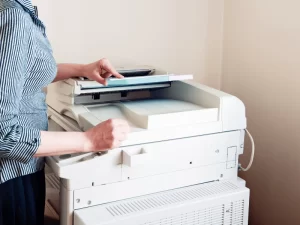
person-operating-a-copier-machine

Unlocking Efficiency: Streamlining Your Business Operations with Rental Copier Machines and Printers

Short-Term Photocopier Rental Flexible business photocopiers for days, months or longer Photocopier rental gives businesses access to office equipment without committing to a long multi-year lease. It can suit temporary requirements, changing teams, project work or businesses that want to try a machine before making a longer-term decision. Get a Rental Quote Quick answer: short-term rental is usually most useful when flexibility matters more than owning a brand-new machine. Availability can include A4 and A3, colour and mono devices, with finishing options depending on the equipment available. Short-Term Rental Days, months or longer Quality Used Equipment Commercial business machines Toshiba Gold Partner Business copier specialists 4.9★ Google Rating Customer service focused Flexible alternative to leasing Why Rent an Office Photocopier? Rental is different from taking brand-new equipment on a multi-year finance agreement. It works best where the organisation values flexibility, short commitment or access to higher-specification used equipment. £ Lower Equipment Cost Quality used commercial machines can cost less to rent than an equivalent new machine because the initial depreciation has already taken place. + Higher Specification The same budget may reach a faster A3 machine, stronger scanning, more paper capacity or professional finishing rather than a basic entry-level device. ↔ Easier to Change Where requirements genuinely change, a rental arrangement can make it easier to discuss moving to a smaller, larger or differently configured device. 1m Days or Months Rental can suit temporary offices, events, project sites, relocations, seasonal workload or organisations that do not want a multi-year commitment. ✓ Try Before You Commit Use a machine with your own staff, network and documents before deciding whether to buy, lease or move to a longer-term arrangement. ⚙ More Useful Features Subject to availability, rental equipment can include A3, high-speed scanning, stapling, folding and booklet-making options. More machine for the same budget A3 Capability for an A4-Type Budget One of the strongest arguments for used rental equipment is that a modest budget can sometimes reach a significantly higher class of machine than the same spend on brand-new equipment. A3 A3 Instead of A4 Gain the option to print, scan and copy larger documents where the business actually needs it. » Faster Printing Move to a higher-speed commercial machine where long jobs and busy departments justify it. ⇅ Better Scanning Faster duplex feeders, larger document capacity and stronger workflow functions can save more staff time than a small increase in print speed. ✓ Automatic Stapling Compatible finishers can collate and staple document sets without staff finishing them by hand. ↧ Folding & Finishing Higher-specification rental equipment can make professional finishing practical without buying a new production-oriented device. ▤ Booklet Making Where fitted and supported, compatible finishers can fold and staple booklets automatically. Do not assume rental is always cheaper. Compare the machine, term, delivery/setup, service and any print charges with the new-equipment and lease alternatives that genuinely match the same requirement. Why rental can offer value Quality Used Equipment Can Offer Strong Value Much of a commercial photocopier’s initial depreciation can happen before its useful life is exhausted. That can make a professionally prepared used machine commercially attractive. Brand-New Machine latest model and feature set; longest remaining manufacturer support window; no previous operating history; normally higher acquisition cost for equivalent specification; and often chosen for longer-term requirements. Used Rental Machine lower equipment cost can be possible; higher specification may fit the same budget; shorter commitment can be available; flexibility where requirements change; and condition and ongoing support become particularly important. Used equipment should be judged by the individual machine, meter, condition, preparation and support — not simply by age or the word “refurbished”. See our refurbished photocopier guide . Try it in the real workplace Live With the Machine Before You Commit A specification sheet cannot show how well a machine fits your actual network, documents and users. Short-term rental can give you a more useful test than a showroom demonstration. test scan speed using your normal documents; check whether staff find the panel intuitive; see whether A3 or finishing features are genuinely used; confirm the machine copes with your busiest periods; test print and scan integration with your IT environment; and decide whether the specification is too small, too large or about right. Changing requirements Your Photocopier Can Change With the Business Print volume, staff numbers, office space and scanning requirements can change quickly. Rental can be useful where the equipment requirement is not yet stable enough for a long-term decision. Upsize When Demand Grows A faster engine, larger feeder, more paper capacity, A3 or finishing may become necessary as workload and staff numbers increase. Downsize When Needs Fall Hybrid working, restructuring or reduced print volume can make a smaller A4 or lower-volume machine a better fit than the equipment originally installed. Best-fit uses Who Is Photocopier Rental Good For? Growing Businesses Where staffing, document volume or office space may change. Temporary Sites Projects, construction offices, events, relocations and other short-term locations. Budget-Conscious Organisations Where a quality used commercial machine provides more useful specification than a basic new device. Businesses Still Deciding Where testing equipment first is more sensible than guessing at a five-year requirement. Choose the right funding route Photocopier Rental vs Photocopier Leasing These are different solutions. Rental prioritises flexibility. Leasing generally suits a stable longer-term requirement where the business knows which equipment it needs. Rental Usually Suits days, months or uncertain timescales; temporary sites or projects; businesses wanting to try equipment first; requirements likely to change; and used-equipment value where appropriate. Leasing Usually Suits stable multi-year equipment requirements; brand-new machines where that is the right fit; spreading equipment cost over an agreed term; organisations comfortable with a longer commitment; and known print and scan requirements. Read the Leasing Guide Coverage Business Photocopier Rental Across the UK Camelott® provides national support, with strong existing coverage across the Midlands, North West, Wales and surrounding areas. Availability for short-term rental depends on the equipment required and the site. Shropshire Telford Shrewsbury Birmingham West Midlands Cheshire Greater Manchester Manchester Wales

Read More »
Businessman using Photocopier in the office

Choosing the Right Photocopier: A Comprehensive Buyer’s Guide

Short-Term Photocopier Rental Flexible business photocopiers for days, months or longer Photocopier rental gives businesses access to office equipment without committing to a long multi-year lease. It can suit temporary requirements, changing teams, project work or businesses that want to try a machine before making a longer-term decision. Get a Rental Quote Quick answer: short-term rental is usually most useful when flexibility matters more than owning a brand-new machine. Availability can include A4 and A3, colour and mono devices, with finishing options depending on the equipment available. Short-Term Rental Days, months or longer Quality Used Equipment Commercial business machines Toshiba Gold Partner Business copier specialists 4.9★ Google Rating Customer service focused Flexible alternative to leasing Why Rent an Office Photocopier? Rental is different from taking brand-new equipment on a multi-year finance agreement. It works best where the organisation values flexibility, short commitment or access to higher-specification used equipment. £ Lower Equipment Cost Quality used commercial machines can cost less to rent than an equivalent new machine because the initial depreciation has already taken place. + Higher Specification The same budget may reach a faster A3 machine, stronger scanning, more paper capacity or professional finishing rather than a basic entry-level device. ↔ Easier to Change Where requirements genuinely change, a rental arrangement can make it easier to discuss moving to a smaller, larger or differently configured device. 1m Days or Months Rental can suit temporary offices, events, project sites, relocations, seasonal workload or organisations that do not want a multi-year commitment. ✓ Try Before You Commit Use a machine with your own staff, network and documents before deciding whether to buy, lease or move to a longer-term arrangement. ⚙ More Useful Features Subject to availability, rental equipment can include A3, high-speed scanning, stapling, folding and booklet-making options. More machine for the same budget A3 Capability for an A4-Type Budget One of the strongest arguments for used rental equipment is that a modest budget can sometimes reach a significantly higher class of machine than the same spend on brand-new equipment. A3 A3 Instead of A4 Gain the option to print, scan and copy larger documents where the business actually needs it. » Faster Printing Move to a higher-speed commercial machine where long jobs and busy departments justify it. ⇅ Better Scanning Faster duplex feeders, larger document capacity and stronger workflow functions can save more staff time than a small increase in print speed. ✓ Automatic Stapling Compatible finishers can collate and staple document sets without staff finishing them by hand. ↧ Folding & Finishing Higher-specification rental equipment can make professional finishing practical without buying a new production-oriented device. ▤ Booklet Making Where fitted and supported, compatible finishers can fold and staple booklets automatically. Do not assume rental is always cheaper. Compare the machine, term, delivery/setup, service and any print charges with the new-equipment and lease alternatives that genuinely match the same requirement. Why rental can offer value Quality Used Equipment Can Offer Strong Value Much of a commercial photocopier’s initial depreciation can happen before its useful life is exhausted. That can make a professionally prepared used machine commercially attractive. Brand-New Machine latest model and feature set; longest remaining manufacturer support window; no previous operating history; normally higher acquisition cost for equivalent specification; and often chosen for longer-term requirements. Used Rental Machine lower equipment cost can be possible; higher specification may fit the same budget; shorter commitment can be available; flexibility where requirements change; and condition and ongoing support become particularly important. Used equipment should be judged by the individual machine, meter, condition, preparation and support — not simply by age or the word “refurbished”. See our refurbished photocopier guide . Try it in the real workplace Live With the Machine Before You Commit A specification sheet cannot show how well a machine fits your actual network, documents and users. Short-term rental can give you a more useful test than a showroom demonstration. test scan speed using your normal documents; check whether staff find the panel intuitive; see whether A3 or finishing features are genuinely used; confirm the machine copes with your busiest periods; test print and scan integration with your IT environment; and decide whether the specification is too small, too large or about right. Changing requirements Your Photocopier Can Change With the Business Print volume, staff numbers, office space and scanning requirements can change quickly. Rental can be useful where the equipment requirement is not yet stable enough for a long-term decision. Upsize When Demand Grows A faster engine, larger feeder, more paper capacity, A3 or finishing may become necessary as workload and staff numbers increase. Downsize When Needs Fall Hybrid working, restructuring or reduced print volume can make a smaller A4 or lower-volume machine a better fit than the equipment originally installed. Best-fit uses Who Is Photocopier Rental Good For? Growing Businesses Where staffing, document volume or office space may change. Temporary Sites Projects, construction offices, events, relocations and other short-term locations. Budget-Conscious Organisations Where a quality used commercial machine provides more useful specification than a basic new device. Businesses Still Deciding Where testing equipment first is more sensible than guessing at a five-year requirement. Choose the right funding route Photocopier Rental vs Photocopier Leasing These are different solutions. Rental prioritises flexibility. Leasing generally suits a stable longer-term requirement where the business knows which equipment it needs. Rental Usually Suits days, months or uncertain timescales; temporary sites or projects; businesses wanting to try equipment first; requirements likely to change; and used-equipment value where appropriate. Leasing Usually Suits stable multi-year equipment requirements; brand-new machines where that is the right fit; spreading equipment cost over an agreed term; organisations comfortable with a longer commitment; and known print and scan requirements. Read the Leasing Guide Coverage Business Photocopier Rental Across the UK Camelott® provides national support, with strong existing coverage across the Midlands, North West, Wales and surrounding areas. Availability for short-term rental depends on the equipment required and the site. Shropshire Telford Shrewsbury Birmingham West Midlands Cheshire Greater Manchester Manchester Wales

Read More »
Scroll to Top
Call Now Button